When I first started digital art, I thought I needed expensive tools, perfect brushes, and a magical talent switch. I opened a blank canvas, stared at it for too long, and closed the app without drawing anything. That is why digital art ideas for beginners matter so much. They give you a starting point when your imagination feels stuck.
The goal is not to create a masterpiece on day one. The goal is to draw something simple, finish it, and understand what you learned from it. Digital art becomes easier when every small project teaches one skill, such as color, line control, shading, shape, or composition.
Why Digital Art Feels Hard at First
Digital art can feel confusing because there are too many choices. You have brushes, layers, blending modes, color palettes, canvas sizes, and tools you may not understand yet. Beginners often spend more time testing settings than actually drawing.
The best way to improve is to start with small art ideas that have clear limits. Instead of trying to paint a full fantasy city, begin with one glowing window, one cute mushroom house, or one simple sunset. Smaller ideas help you finish more work, and finished work builds confidence.
Simple Digital Art Ideas for Beginners
The easiest digital art projects are the ones based on simple shapes. You can start with clouds, leaves, mugs, stars, candles, books, fruit, flowers, or cozy room corners. These subjects are familiar, so you can focus on clean lines and soft colors instead of complex anatomy.
Try drawing a warm cup of coffee on a desk, a tiny plant near a window, or a stack of books with fairy lights. These ideas are beginner-friendly because they use basic forms like circles, rectangles, and curves. They also help you practice shadows without overwhelming detail.
Nature Drawing Ideas for Easy Practice

Nature is one of the best subjects for new artists because it does not need to be perfect. A tree can bend. A cloud can be uneven. A mountain can have rough edges. That freedom makes nature ideal for practicing digital painting.
Start with a sunset over water, a moonlit forest, a rainy window, or a field of simple flowers. These projects help you understand color gradients, light direction, and atmosphere. You can also create seasonal scenes like autumn leaves, spring gardens, snowy cabins, or summer beaches.
Cute Character Ideas for Beginners
Characters may seem scary, but you can make them simple. Begin with rounded faces, tiny bodies, and expressive eyes. Cute characters work well because they do not require realistic anatomy.
Draw a sleepy cat wearing glasses, a frog holding an umbrella, a bear with a backpack, or a tiny wizard with a glowing hat. These character ideas teach personality, shape language, and expression. Keep the pose simple and focus on making the character feel alive.
Animal Digital Art Practice
Animals are great for beginners because they can be stylized in many ways. You do not need realistic fur on your first try. Start with simple animal icons or cartoon-style pets.
Try a fox sitting under the moon, a puppy with a scarf, a bird on a branch, or a turtle carrying a tiny garden. These projects improve your line control and help you practice soft textures. Use references, but do not copy every detail. Look for the main shapes first.
Everyday Object Drawing Ideas
Everyday objects are underrated. They teach observation better than complicated subjects. A sneaker, headphone, lamp, chair, camera, or notebook can become a strong digital illustration.
Choose one object near you and draw it in a fun style. Add bright colors, stickers, shadows, or a simple background. This makes the drawing more personal and helps you practice form, perspective, and texture in a relaxed way.
Fantasy Digital Art Ideas
Fantasy art is exciting, but beginners should keep it focused. Instead of drawing a full dragon battle, draw one magical object. A glowing sword, crystal bottle, enchanted key, floating lantern, or tiny potion shelf can look impressive without being too difficult.
These fantasy writing prompts are useful because they teach lighting. When an object glows, you learn how light spreads onto nearby surfaces. This makes your art look more dramatic and polished.
Pixel Art and Abstract Art Ideas
Pixel art is perfect for beginners who feel nervous about clean lines. Because the style is blocky, you can focus on color and shape. Try a tiny house, game heart, sword, mushroom, spaceship, or food icon.
Abstract art is also helpful. Create shapes, patterns, gradients, and textures without worrying about realism. This improves your sense of balance and color. Abstract projects are great warm-ups before bigger illustrations.
A 15-Minute Daily Digital Art Routine

You do not need hours every day to improve. A simple 15-minute routine can make a real difference. Spend five minutes sketching basic shapes, five minutes drawing one small object, and five minutes adding color or shadow.
Use digital art ideas for beginners as daily prompts rather than big projects. One day you can draw a candle. The next day, draw a cloud. The next day, draw a cartoon animal. Small repetition helps you build muscle memory and creative confidence.
Common Beginner Mistakes to Avoid
One common mistake is zooming in too much. When you zoom in constantly, you may fix tiny details while the full drawing still looks unbalanced. Zoom out often to check the whole artwork.
Another mistake is using too many brushes. Beginners usually improve faster with one sketch brush, one painting brush, and one eraser. Simple tools help you focus on skill instead of effects.
Many beginners also compare their first drawings to advanced artists online. That can destroy motivation. Compare your newest work to your older work instead. Progress becomes easier to see when you track your own improvement.
Best Apps and Tools for Beginners
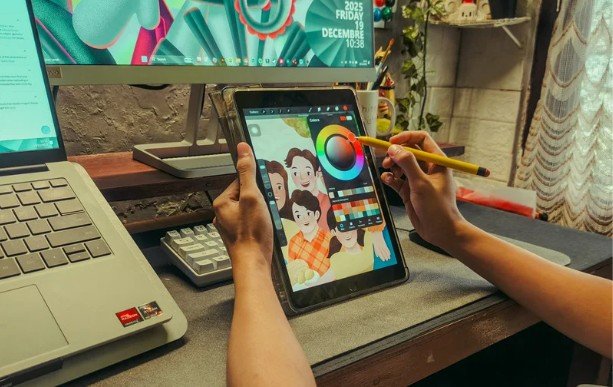
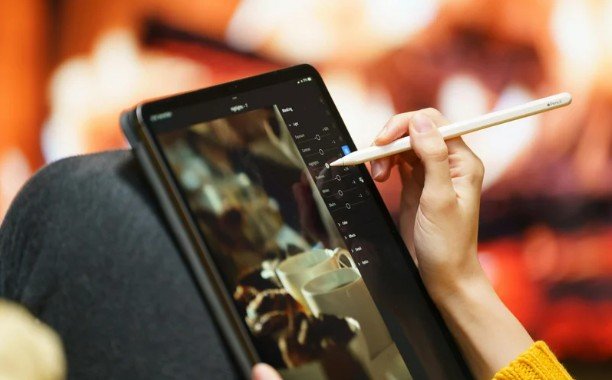
Good beginner tools should feel easy to open and use. Procreate is popular for iPad users because it is smooth and beginner-friendly. Adobe Fresco is useful for drawing and painting with natural brush effects. Krita is a strong free option for digital painting, while Autodesk Sketchbook is simple for sketching.
You do not need the most expensive tablet. A basic drawing tablet, iPad, or touchscreen device can be enough. What matters most is regular practice, not perfect equipment.
Frequently Asked Questions
1. What are easy digital art ideas for beginners?
Easy ideas include clouds, flowers, cute animals, coffee mugs, simple characters, pixel icons, sunsets, food drawings, and cozy room corners.
2. Can I learn digital art if I cannot draw well?
Yes. Start with simple shapes, trace your own rough sketches on new layers, use references, and practice small projects consistently.
3. How often should beginners practice digital art?
Beginners can improve with 15 to 30 minutes of focused practice daily or a few longer sessions each week.
4. What should I draw when I have no ideas?
Use digital art ideas for beginners like plants, pets, books, candles, fantasy objects, fruit, skies, or simple cartoon faces.
Final Brushstroke
When I look back, the hardest part of learning digital art was not the software. It was getting past the blank canvas. Once I gave myself simple ideas, drawing became less stressful and more fun.
Start with one small artwork today. Draw a cup, a cloud, a cat, a flower, or a glowing object. Keep it simple, finish it, and learn one thing from it. That is how beginner art slowly turns into real creative skill.