A flat design can look unfinished until customers see it on a real product. That is where free tools for designing product mockups help. They let US sellers, designers, and small business owners turn logos, artwork, packaging, and digital screens into realistic visuals without paying for a photoshoot or learning complex editing software.
From T-shirts and mugs to boxes, bottles, apps, and website previews, these tools make ideas easier to present, test, and sell. With the right mockup generator, you can create polished product images that build trust, improve listings, and make your brand look more professional online.
What Is the Best Free Product Mockup Tool for Your Needs?
The best tool depends on what you want to create. Some platforms work better for apparel and merchandise, while others are built for packaging, print-on-demand products, digital screens, or raw Photoshop templates. Instead of choosing one tool for everything, I recommend picking the right mockup generator based on your product type.
Best Free Mockup Tools for Apparel, Merch, and Print-on-Demand
Mockey AI
Mockey AI is one of the strongest choices for apparel, merchandise, and ecommerce mockups. It offers more than 27,000 templates across many categories, including T-shirts, hoodies, mugs, stickers, accessories, packaging, tech products, and home items. It also promotes watermark-free downloads on its free plan, which is helpful for sellers who want clean product images.
I would use Mockey AI for print-on-demand stores, Etsy products, merch previews, and quick ecommerce visuals. Its AI Photoshoot feature also helps place designs into more realistic scenes, which can make a product feel less flat and more lifestyle-focused.
Canva Free
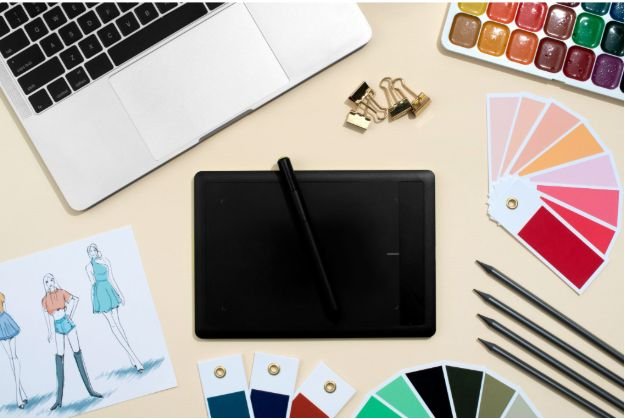
Canva is ideal for beginners who want mockups and marketing graphics in one place. It lets you create product mockups for shirts, mugs, flyers, posters, screens, and social media visuals. Canva is especially useful for US small business owners because it also helps you resize those mockups for Instagram, Pinterest, website banners, ads, and email campaigns.
I like Canva when speed matters. You can upload a design, place it into a mockup, add brand elements, and create promotional graphics without switching between several tools.
Printful Design Maker and Printify
Printful and Printify are excellent for ecommerce testing because their mockup tools connect directly with real print-on-demand products. Printful’s Design Maker includes pre-made graphics and mockup images, while Printify’s Product Creator lets users upload designs and create mockups without Photoshop.
These tools work best when you want to test product ideas before ordering inventory. You can preview apparel, mugs, phone cases, tote bags, wall art, and other custom products using realistic product images.
Best Free Mockup Tools for 3D Boxes, Bottles, and Packaging
Pacdora
Pacdora is a strong option for packaging designers because it focuses on 3D mockups, dielines, boxes, bottles, cans, bags, books, and product packaging. You can upload your design, adjust lighting, change background settings, preview the product in 3D, and export high-quality visuals.
I would use Pacdora for beauty products, food packaging, supplement bottles, candle labels, beverage cans, retail boxes, and product pitch decks. It gives packaging concepts a more polished look before you move into printing or production.
Renderforest
Renderforest works well for quick brand identity mockups, box mockups, bottles, and website/product presentations. It is useful when you want high-quality visuals without a full design workflow. For small businesses, it can help create professional packaging previews, promotional images, and branded product scenes.
Renderforest is a good choice when you need a fast mockup that looks ready for a landing page, social media post, or business presentation. It also fits well with Easy Tools for Creating Carousel Posts, allowing creators to build polished, visually consistent content for Instagram, LinkedIn, Facebook, and other platforms.
With customizable templates, branding options, and an intuitive editor, Renderforest helps transform ideas into professional carousel slides and promotional visuals quickly, making it an excellent choice for bloggers, marketers, and small business owners who want high-quality designs without extensive graphic design experience.
Best Free Mockup Tools for Apps, Websites, and UI Designs
Shots.so
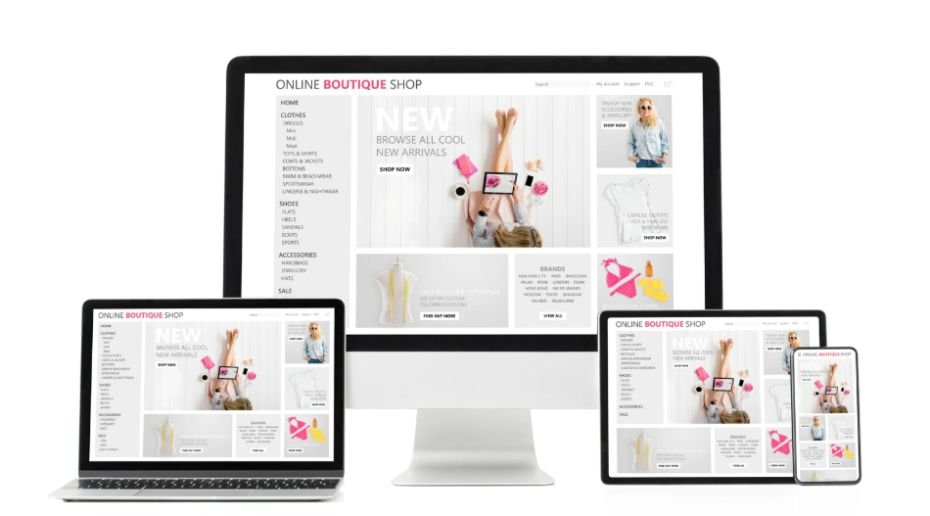
Shots.so is a strong choice for digital creators who need clean app, browser, laptop, phone, and smartwatch mockups. It focuses on modern screen presentations with stylish layouts, shadows, grids, and glass-style effects.
I would use Shots.so for SaaS (Software as a service) landing pages, app store previews, website portfolio images, UI case studies, and startup pitch decks. It is not meant for physical products, but it is excellent for digital software interfaces.
Figma
Figma is best when you want total control over digital mockups. Its free tier gives designers an infinite canvas, collaborative features, and access to plugins that can place screens onto devices. For UI designers, web designers, and app creators, Figma offers more flexibility than many simple mockup generators.
If you want to design the interface first and then present it inside a device frame, Figma is one of the most practical options.
Best Free Raw Template Site for PSD Mockups
Mockup World
Mockup World is different from drag-and-drop mockup generators. It collects free PSD mockups from across the web, including branding, packaging, apparel, print, and device mockups. Many templates use smart objects, which let Photoshop users place designs into realistic scenes.
I would recommend Mockup World for designers who already know Photoshop and want more detailed control. It may take longer than Canva or Mockey AI, but the final result can look highly professional.
How to Choose the Right Free Mockup Generator
Before choosing among free tools for designing product mockups, think about your final use. If you sell apparel, start with Mockey AI, Printful, Printify, or Canva. If you design packaging, try Pacdora or Renderforest. If you create app or website visuals, use Shots.so or Figma. If you want editable PSD files, Mockup World is a better fit.
Also check watermark rules, download quality, product variety, editing controls, and commercial-use terms. A free tool is only useful if the final image looks clean enough for your store, ad, portfolio, or client presentation.
How to Make Product Mockups Look More Professional
A good mockup should look realistic, not forced. Use high-resolution artwork, keep logos properly centered, avoid stretching designs, and choose templates that match the real product. If your final product is a relaxed-fit hoodie, do not use a tight athletic hoodie mockup. If your candle label wraps around a jar, show more than one angle when possible.
For ecommerce, I like using one clean front-facing mockup, one lifestyle mockup, and one close-up detail image. This gives shoppers a better sense of the product without making the listing feel crowded.
Common Mockup Mistakes to Avoid
The biggest mistake is using mockups that look better than the actual product. That can disappoint customers and hurt reviews. Keep your mockups accurate, especially for colors, print placement, fabric type, packaging size, and product shape.
Another mistake is mixing too many styles. If every image has different lighting, angles, shadows, and backgrounds, your store can look messy. Consistent mockups make your brand look more trustworthy.
Are Free Mockup Tools Good Enough for US Small Businesses?
Yes, many free tools for designing product mockups are good enough for new stores, small businesses, freelancers, and print-on-demand sellers. They help you test ideas, create product listing images, build social media content, and present designs to clients without large upfront costs.
As your business grows, you may upgrade for higher-resolution exports, more templates, batch mockups, premium lifestyle scenes, or advanced 3D controls. But for starting and testing ideas, free mockup tools are often more than enough.
Frequently Asked Questions (FAQs)
1. What is the best free product mockup generator?
Mockey AI is strong for apparel and merchandise, Canva is best for beginners, Pacdora is best for packaging, and Shots.so is best for app and website mockups.
2. Can I create product mockups without Photoshop?
Yes. Tools like Canva, Mockey AI, Printify, Printful, Renderforest, Pacdora, and Shots.so let you create mockups online without Photoshop.
3. Which mockup tool is best for Etsy and Shopify sellers?
Mockey AI, Canva, Printify, and Printful are practical choices for Etsy and Shopify sellers because they support ecommerce-style product images.
4. What is the best free mockup tool for packaging?
Pacdora is one of the best options for packaging because it supports 3D boxes, bottles, cans, bags, dielines, and realistic product previews.
Conclusion
Product mockups help your ideas look real, polished, and ready to sell. For apparel and merch, I would start with Mockey AI, Canva, Printful, or Printify. For packaging, I would use Pacdora or Renderforest. For apps and websites, I would choose Shots.so or Figma. For editable Photoshop templates, Mockup World is a useful resource.
The right mockup tool can help you create better product visuals, test ideas faster, and make your online brand look more professional without a big budget.