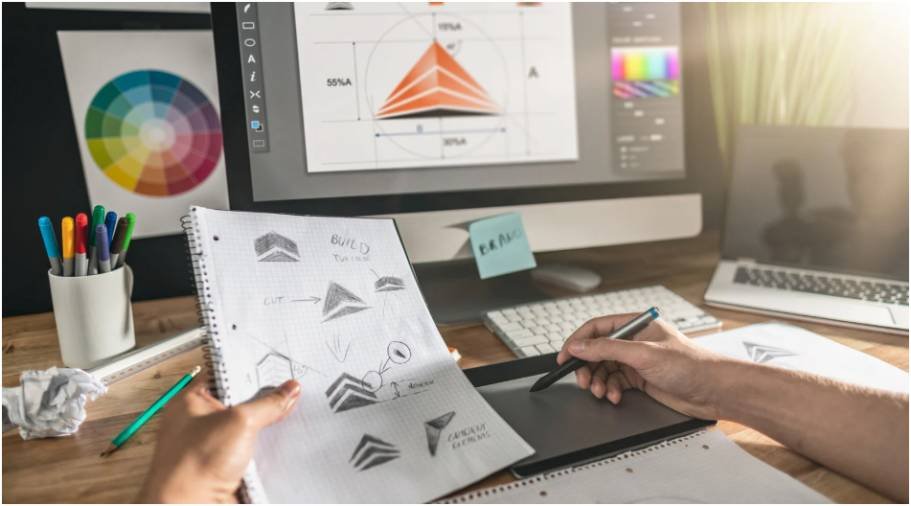


Creating swipe-worthy social media content should not feel like a full design project. I have opened a blank canvas before and wondered how one idea could become a clean, engaging, multi-slide post. That is why easy tools for creating carousel posts are so useful for creators, small businesses, marketers, coaches, and bloggers who want better content without hiring a designer.
For a US audience scrolling through Instagram, LinkedIn, Facebook, and Pinterest every day, carousel posts work because they slow people down. A strong cover slide grabs attention, the middle slides deliver value, and the final slide pushes people to save, comment, click, or follow.
Why Carousel Posts Work So Well
Carousel posts give your audience more time with your content. Instead of depending on one image, you can explain a process, share a checklist, compare products, teach a quick lesson, or tell a short brand story across multiple slides.
They are especially useful for Instagram carousel posts and LinkedIn carousel posts because both platforms reward content that keeps users engaged. When someone swipes through your slides, they spend more time with your post, which can help improve visibility and interaction.
What Makes A Good Carousel Post Maker?
A good carousel post maker should help you move from idea to finished design quickly. I always look for clean templates, mobile-friendly layouts, easy editing, brand colors, readable fonts, and simple export options.
The best tools also support different workflows. Some people want AI to create the slides for them. Others want full creative control with pre-made templates. Some creators just need a phone app that slices one wide image into a seamless panoramic carousel.
Best Overall Tool For Fast Carousel Creation

Canva is the best overall tool for creating carousel posts quickly because it offers a massive library of pre-made templates and a simple drag-and-drop design system. You can search for Instagram carousel templates, pick a multi-page layout, customize the text and colors, then export every slide in minutes.
Canva also includes Carousel Studio inside its app ecosystem, which helps users generate carousel designs from prompts. This makes it a strong option for beginners who want template-based design and AI-assisted creation in one place. Canva’s carousel template library and Carousel Studio app make it one of the most practical options for creators who want fast, polished results.
AI-Powered Carousel Builders With No Design Skills Needed
AI carousel generators are ideal when you want to turn a topic, blog link, raw text, or short prompt into a designed carousel quickly. These tools are helpful when you have ideas but do not want to spend time planning every slide manually.
aiCarousels For Beginners
aiCarousels is a beginner-friendly carousel maker that creates social media carousels for LinkedIn, Instagram, and TikTok. It auto-formats text into slides and helps with layout, colors, fonts, and structure. It is a good choice when you want speed without dealing with too many design decisions.
As highlighted in Simple Tools for Making Instagram Graphics, tools like aiCarousels make it easier to create engaging, professional-looking content without advanced design skills. By simplifying the design process and maintaining visual consistency, they help bloggers, creators, and small businesses produce eye-catching graphics that increase audience engagement while saving valuable time.
PostNitro For Batch Carousel Creation
PostNitro is useful for creators and marketers who need to produce several carousels quickly. You can add a topic or URL, choose the target platform, and generate copy and graphics together. It supports Instagram, LinkedIn, TikTok, X, and Threads, and also includes templates, brand kits, scheduling, and publishing features.
Gamma For Story-Driven Slide Content
Gamma works well if you like a presentation-style workflow. You type your concept, and the platform helps create clean, card-based slides. It is helpful for educational carousels, storytelling posts, and professional explainers that need a polished visual flow.
Contentdrips For Personal Brands
Contentdrips is a strong option for LinkedIn and Instagram creators who want to turn ideas, blogs, videos, or topics into polished carousels and graphics. Its AI carousel tools are useful for coaches, consultants, marketers, and personal brands that publish educational content regularly.
Template-Based Graphic Design Tools

Template-based tools are best when you want more creative freedom but still do not want to start from scratch. These tools work well for small businesses, ecommerce brands, bloggers, local service providers, and social media managers.
Canva For Professional Templates
Canva remains the easiest choice for most beginners because it gives you multi-slide carousel templates, stock photos, icons, fonts, brand kits, and simple resizing options. If I had to recommend one tool for most creators, Canva would be the safest starting point.
Pixlr Designer For Fast Web-Based Editing
Pixlr Designer is a strong free web-based option for carousel design. It offers ready-made carousel templates and drag-and-drop editing, which makes it useful for creators who want fast visual customization without complex software.
Adobe Express For Sleek Social Layouts
Adobe Express is helpful for creators who want stylish templates and quick social media design features. It also supports carousel-focused content creation and is useful for brands that want clean, modern layouts for social feeds. Adobe’s own carousel guidance highlights the growing importance of swipeable social content.
Mobile Apps For Seamless Panorama Carousel Posts
Some carousel posts are not text-heavy. Sometimes you want one wide image to flow smoothly across multiple slides. This is popular for product showcases, travel photos, fashion content, real estate visuals, event highlights, aesthetic Instagram feeds, and ideas that help viewers personalise your workspace.
Crsel is a useful mobile option for creating trendy carousel layouts directly from an iPhone. It is best for creators who want fast, stylish designs without opening desktop software.
Panorama Scroll Carousel Maker is another helpful option, especially for turning wide photos into seamless multi-slide Instagram posts. The app is available on Google Play and the Apple App Store, where it is positioned as a panorama crop and photo collage tool for Instagram layouts.
Best Tool For Instagram Carousel Posts
For Instagram, I would choose Canva if you want polished templates, PostNitro if you want AI speed, and Panorama Scroll Carousel Maker if you want seamless photo slicing.
Instagram carousel posts should use a bold first slide, short copy, strong visuals, and a clear final call to action. Keep the design mobile-friendly because most people will view it on a phone.
Best Tool For LinkedIn Carousel Posts

For LinkedIn, I would choose Contentdrips, aiCarousels, PostNitro, or Gamma. LinkedIn carousels usually perform better when they feel educational, clear, and professional.
A good LinkedIn carousel should teach one useful idea, use one main point per slide, and end with a question or action. This works well for founders, consultants, B2B marketers, creators, and career-focused professionals.
Free Vs Paid Carousel Tools
Free carousel makers are enough for many beginners. Canva, Pixlr, aiCarousels, and some mobile apps can help you create strong content without a big budget.
Paid tools make more sense when you need brand kits, premium templates, AI writing help, scheduling, publishing, team collaboration, or faster production. If carousel content is part of your weekly marketing strategy, the right paid tool can save hours every month.
How To Make Carousel Posts More Engaging
The tool helps, but the idea still matters most. Start with one clear promise. Your first slide should make people curious enough to swipe. The middle slides should deliver simple, useful information, and the final slide should tell readers what to do next.
Use short sentences, clean spacing, readable fonts, and consistent colors. I also recommend creating every carousel with mobile viewing in mind. If the text feels hard to read on a phone, the design needs more breathing room.
FAQs About Carousel Post Tools
1. What are the best easy tools for creating carousel posts?
The best easy tools for creating carousel posts include Canva, aiCarousels, PostNitro, Gamma, Contentdrips, Pixlr Designer, Adobe Express, Crsel, and Panorama Scroll Carousel Maker.
2. What is the easiest carousel maker for beginners?
Canva is the easiest carousel maker for beginners because it offers ready-made templates, drag-and-drop editing, brand tools, and simple export options.
3. Can AI create Instagram carousel posts?
Yes, AI tools like aiCarousels, PostNitro, Gamma, and Contentdrips can turn topics, links, or raw text into carousel slide ideas and designs.
4. What is the best app for seamless Instagram carousel posts?
Panorama Scroll Carousel Maker and Crsel are useful for seamless Instagram carousel posts because they help split wide images into swipeable slides.
Final Takeaway
I believe carousel posts are one of the easiest ways to turn a simple idea into content people want to save and share. You do not need advanced design skills or expensive software. You just need the right workflow.
If you want the safest starting point, use Canva. If you want AI speed, try aiCarousels, PostNitro, Gamma, or Contentdrips. If you want more visual control, use Pixlr Designer or Adobe Express.
If you want seamless photo carousels, try Crsel or Panorama Scroll Carousel Maker. With the right tool, easy tools for creating carousel posts can help you publish better content faster and grow your social presence with less stress.