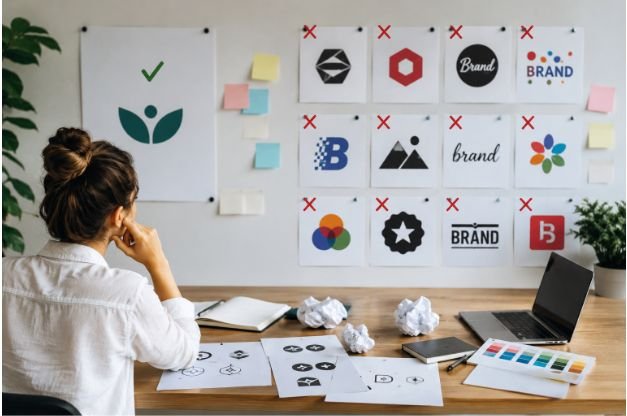

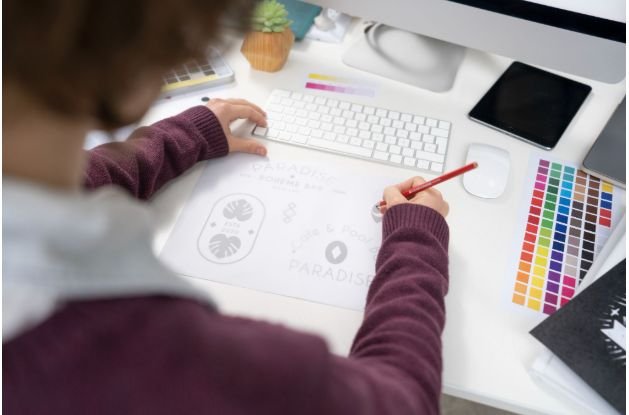
A blank logo canvas can make even a simple business idea feel complicated. That is why I prefer beginner friendly logo design tools for new brands that need to look professional without hiring a designer right away. These tools help you choose fonts, icons, colors, layouts, and export formats with less guesswork.
For US small business owners, creators, bloggers, and online sellers, speed matters. Whether you are preparing a website, Etsy shop, YouTube channel, local service page, or social media launch, the right logo maker can help you build a clean brand identity quickly and confidently.
Why Beginners Need Simple Logo Design Tools
A logo is often the first visual impression your audience gets. Before someone reads your website copy or checks your services, they notice your name, colors, font, and overall brand style. A messy logo can make a business look rushed, while a clean one builds trust quickly.
For beginners, the biggest challenge is not creativity. It is knowing how to turn an idea into a polished design. Simple online logo makers solve that problem with drag-and-drop editing, AI logo generators, pre-made templates, transparent PNG downloads, and brand kit options. These features help you move from idea to finished logo without learning complex design software.
Best Drag-and-Drop Logo Editors for Creative Control
Canva
Canva is one of the easiest tools for beginners because it gives you thousands of customizable logo templates and a simple drag-and-drop dashboard. You can change fonts, colors, icons, spacing, and layouts in minutes. Canva also includes AI-powered design features that can help generate visual ideas from text prompts.
I like Canva for bloggers, online creators, coaches, and small business owners because it does more than logo design. You can use the same brand style for social media posts, YouTube banners, flyers, presentations, and website graphics. The free plan works for basic logo design, while Canva Pro adds a Brand Kit, premium templates, and smart resizing features.
Adobe Express
Adobe Express is another strong option for beginners who want clean, professional branding without using advanced Adobe software. It gives access to polished templates, Adobe Fonts, vector graphics, and simple editing tools directly in the browser.
This platform works well if you want a logo that feels modern and refined. Adobe Express also includes AI text-to-image features that can help spark ideas when you do not know what visual direction to choose. You can export clean PNG designs, including transparent background options, which is important for websites and digital branding.
Best AI Logo Generators for Instant Concepts
Looka
Looka is ideal for beginners who want AI guidance instead of designing from scratch. You enter your business name, industry, preferred colors, and style choices. Then Looka generates multiple logo concepts based on your answers.
This is helpful when you need fast inspiration for a startup, online store, consulting brand, or local service business. Looka can also expand your selected design into a brand kit with color codes, font guidance, and matching visual assets. However, full vector file formats like SVG and EPS usually require a paid package.
VistaPrint Logo Maker
VistaPrint Logo Maker is useful for beginners who want a simple logo and printed branding materials in one place. It uses an easy guided process to create functional logo layouts, then connects your design to business cards, signs, stickers, and other marketing materials.
This makes it especially practical for US local businesses such as salons, bakeries, contractors, cleaning companies, fitness trainers, and real estate professionals. One major advantage is that VistaPrint supports high-resolution and scalable file options like SVG (Scalable Vector Graphics) and PDF, which are useful for print and large-format branding.
Best Free and Template-Based Logo Makers
Namecheap Logo Maker
Namecheap Logo Maker is a good choice if you want a free logo design workspace with no hidden generation cost. It is simple, fast, and useful for creating clean wordmarks or minimal logo concepts.
This tool is best for beginners testing a new business idea, side project, personal blog, or early-stage website. It may not offer the deepest editing features, but it gives you a quick way to create a usable logo without spending money upfront.
DesignEvo
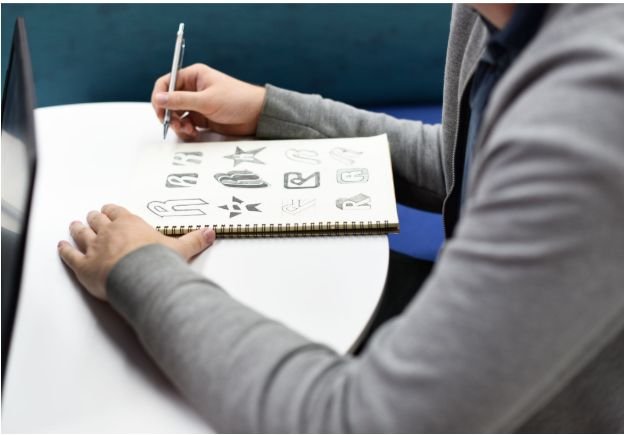
DesignEvo is a template-based logo maker with a large library of industry-focused icons and layouts. You can choose a template, edit the text, adjust layers, change colors, and customize the design inside a simple canvas editor.
DesignEvo works well if you already know your business category and want many visual options quickly. It is useful for YouTube channels, small shops, school clubs, personal brands, and online projects that need a basic but professional-looking logo.
What to Check Before Choosing a Logo Design Tool
Before you commit to any logo maker, check the export options carefully. A logo may look good on the screen, but it must also work across real business use cases. This is especially important when creating visuals with Simple Tools for Making Instagram Graphics, where your branding needs to remain sharp and consistent across posts, Stories, Reels, profile pictures, and promotional materials.
Look for tools that offer high-resolution downloads, transparent PNG files, scalable vector formats, and flexible sizing options so your logo and graphics maintain a professional appearance on both digital platforms and printed materials.
A transparent PNG is important because it lets your logo sit cleanly on website headers, colored backgrounds, social media graphics, and product images without an awkward white box around it. This is one of the most useful file types for everyday digital branding.
Vector formats such as SVG, PDF, or EPS matter if you plan to print your logo on signs, packaging, uniforms, banners, or merchandise. Vector files stay sharp when resized, so your logo does not become blurry or pixelated.
You should also check commercial-use permissions. Some free logo makers allow personal downloads but may restrict professional use or charge for full ownership and high-quality files. For any serious business, this detail matters.
Free vs Paid Logo Makers: Which Is Better?
Free tools are perfect when you are exploring ideas. They let you test colors, fonts, icons, and layouts before investing in a final brand identity. Canva, Namecheap Logo Maker, and DesignEvo can all help beginners create usable logo drafts without a big budget.
Paid tools are better when you need professional exports, full commercial rights, brand kits, transparent files, and vector formats. If your logo appears on your website, packaging, ads, printed materials, or storefront, paying for the correct files can save future problems.
I would start by testing several beginner friendly logo design tools, compare the results, and only upgrade once you know which logo style truly fits your brand.
Beginner Logo Design Mistakes to Avoid
Many beginners make the logo too detailed. A good logo should still look clear when it appears as a small profile image on Instagram, TikTok, YouTube, LinkedIn, or Google Business Profile.
Another mistake is using too many fonts or colors. Most strong logos use a simple color palette and one or two fonts. This keeps the design clean, memorable, and easier to apply across different platforms.
You should also avoid copying famous logos too closely. Inspiration is fine, but your logo needs to feel original. A tool can help with layout and structure, but your brand personality should guide the final choice.
FAQs About Beginner Logo Design Tools
1. What is the easiest logo design tool for beginners?
Canva is one of the easiest choices because it offers drag-and-drop editing, ready-made templates, fonts, icons, and simple download options for new users.
2. Can I make a professional logo without design experience?
Yes, you can create a professional logo without design experience by using templates, AI logo generators, and simple editors that guide the design process.
3. Which logo maker is best for small businesses?
Canva, Adobe Express, Looka, and VistaPrint Logo Maker are strong choices for small businesses because they support digital branding, print use, and beginner-friendly editing.
4. Do I need a transparent background for my logo?
Yes, a transparent background is very useful because it lets your logo appear cleanly on websites, social media graphics, product photos, and colored designs.
Build a Logo That Looks Ready
I believe the best logo tool is not always the most advanced one. It is the one that helps you create a clean, confident, and usable design without slowing down your brand launch.
Start simple. Pick a tool that matches your comfort level, test a few designs, check your file formats, and make sure the logo looks good on both digital and print materials. With the right beginner friendly logo design tools, you can create a strong first impression and build a brand that feels ready from day one.