

Finding the right beginner tools for creating ebooks can make your first ebook project easier, faster, and far less confusing. You may want to create a free lead magnet, a paid digital product, a Kindle book, or a simple PDF guide for your audience.
The right tools help you write clearly, design clean pages, format your file correctly, and publish with confidence. Instead of struggling with complicated software, beginners can use simple platforms like Canva, Google Docs, Kindle Create, and Reedsy to turn ideas into professional ebooks.
What Are the Best Ebook Tools for Beginners?
The best ebook tools for beginners are Canva, Adobe Express, Google Docs, Microsoft Word, Kindle Create, Reedsy Studio, Gamma, Designrr, Grammarly, and Hemingway Editor. Each tool solves a different part of the ebook creation process.
A short marketing ebook needs a different setup than a novel. A recipe ebook needs more visual control, while a business guide may need clean formatting and easy PDF export. A fiction ebook needs reflowable text that works on Kindle, phones, and tablets. When you know your ebook type first, the tool choice becomes much easier.
Best Tools for Visual and Lead-Magnet Ebooks
If you want to create short guides, workbooks, checklists, recipe books, coaching PDFs, or marketing freebies, visual ebook design tools are the best place to start.
Canva
Canva is one of the easiest all-around ebook makers for beginners. It gives you ready-made multi-page ebook templates, drag-and-drop editing, cover layouts, icons, photos, and brand color controls. I would use Canva for a lead magnet, digital workbook, small business guide, wellness ebook, recipe book, or downloadable PDF.
The biggest benefit is simplicity. You can choose a template, replace the sample text, add your images, adjust colors, and export the final ebook as a high-quality PDF. Canva works especially well when you want a modern-looking ebook but do not have previous design experience.
Adobe Express
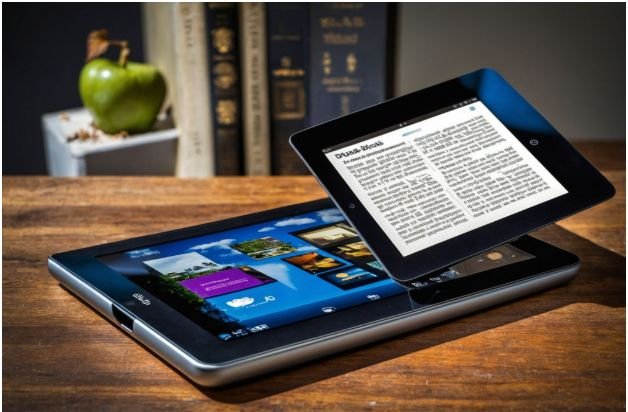
Adobe Express is a strong free alternative to Canva. It offers customizable ebook templates, simple page control, graphics, and easy formatting. It also includes helpful AI-powered creative features, which can support tasks like image editing and quick design adjustments.
For beginners who want a clean, branded ebook without using advanced Adobe software, Adobe Express is a practical option. It is especially helpful for creators who want quick layouts, simple visuals, and professional-looking pages.
Best Tools for Text-Heavy Ebooks and Kindle Publishing
If your ebook is a novel, memoir, long nonfiction guide, or detailed educational book, you need tools that handle text structure properly.
Google Docs or Microsoft Word
Google Docs and Microsoft Word are excellent drafting tools. They help you write, edit, organize chapters, add headings, and prepare your manuscript before moving it into formatting software. I recommend using heading styles properly because they help create a clean structure later.
Google Docs is great for collaboration and cloud storage. Microsoft Word is widely accepted by publishing tools and works well with Kindle Create. Both are beginner-friendly places to write your first full draft.
Kindle Create
Kindle Create is Amazon’s free formatting tool for authors who want to publish through Kindle Direct Publishing. It imports completed manuscripts and helps format ebooks for Kindle readers. It can also create an interactive table of contents and reduce common Kindle formatting issues.
If your main goal is Amazon self-publishing, Kindle Create is one of the most important tools to learn. It is not mainly a writing tool, but it helps turn your manuscript into a Kindle-ready ebook.
Reedsy Studio
Reedsy Studio is a free browser-based writing and formatting tool for authors. It helps you plan, draft, edit, and format your book in one place. It can export professional-looking EPUB and PDF files, which makes it useful for writers who want clean book formatting without manual layout work.
I would choose Reedsy Studio for fiction, nonfiction, memoirs, and simple text-heavy ebooks where professional typesetting matters more than flashy visuals. It also complements Tools for Designing Lead Magnets, especially when creating polished ebooks, guides, checklists, and downloadable resources that help attract and nurture subscribers.
Reedsy Studio focuses on clean formatting, readable typography, and professional layouts, making it an excellent choice for creators who want their lead magnets to look credible, easy to read, and ready for digital distribution.
Best AI-Assisted Ebook Building Tools

AI tools can speed up your ebook process, especially when you need help with outlining, restructuring, or turning raw ideas into a more organized document.
Gamma
Gamma is useful for quickly turning ideas into structured visual documents. It can help create clean layouts, organize sections, and generate a polished document-style presentation. This makes it helpful for short business guides, course handouts, visual reports, and fast ebook drafts.
Gamma is not the best choice for a traditional Kindle book, but it can help beginners create attractive digital guides quickly.
Designrr
Designrr is helpful when you want to repurpose existing content into an ebook. You can import content from a blog URL, Word document, Google Docs file, PDF, video, or podcast and turn it into an ebook layout.
This is a smart option for bloggers, coaches, agencies, and small business owners who already have content. Instead of starting from scratch, you can turn existing articles or transcripts into a PDF, EPUB, Kindle file, or flipbook.
Must-Have Writing Assistants for Ebook Creators
Even the best ebook design tool cannot fix weak writing by itself. Before publishing, you need to edit your content for grammar, clarity, readability, and flow.
Grammarly
Grammarly helps catch grammar issues, punctuation mistakes, awkward sentences, and tone problems. It is useful when you want your ebook to sound polished and professional. I would use it after finishing the draft, not while writing every sentence, so the creative process stays smooth.
Hemingway Editor
Hemingway Editor helps simplify hard-to-read sentences. It highlights complicated wording, passive voice, and readability problems. This is especially useful for beginner-friendly ebooks because readers usually prefer clear, direct writing.
If your ebook targets everyday readers, small business owners, students, or beginners, Hemingway can help make your message easier to understand.
How to Choose the Right Ebook Tool

The easiest way to choose from the many beginner tools for creating ebooks is to start with your final format. If you want a visual PDF, use Canva or Adobe Express. If you want a Kindle book, write in Google Docs or Word, then format with Kindle Create or Reedsy Studio. If you want to repurpose content, use Designrr. If you want quick AI-assisted structure, try Gamma.
Your design skill also matters. Canva and Adobe Express are better for non-designers. Reedsy and Kindle Create are better for authors. Designrr is better for marketers with existing content. Grammarly and Hemingway support almost every ebook project because strong editing improves the final result.
PDF vs EPUB: Which Format Should Beginners Use?
PDF is best for visual ebooks, lead magnets, workbooks, checklists, guides, templates, and downloadable business resources. It keeps your layout fixed, so your pages look the same on most devices.
EPUB is better for novels, nonfiction books, and text-heavy ebooks because the text adjusts to different screen sizes. If you want to publish on Kindle, Apple Books, or other reading platforms, EPUB or Kindle-friendly formatting is usually more important.
For most first-time creators, I recommend starting with a PDF if the ebook is short and visual. Choose EPUB (Electronic Publication) or Kindle Create if your goal is self-publishing.
Simple Ebook Workflow for Beginners
Start by choosing one reader and one clear topic. Then outline your chapters or sections before writing. Draft the content in Google Docs or Word, then edit it with Grammarly and Hemingway. After that, move the final text into Canva, Adobe Express, Reedsy Studio, Kindle Create, Gamma, or Designrr based on your format.
Before you publish, check the ebook on a phone, tablet, and laptop. Make sure the cover looks clean, the headings are easy to scan, the spacing feels comfortable, and the links work. A simple ebook that reads clearly will perform better than an overdesigned ebook that feels cluttered.
Frequently Asked Questions (FAQs)
1. What is the easiest ebook creator for beginners?
Canva is one of the easiest ebook creators for beginners because it offers templates, drag-and-drop design, cover layouts, and PDF export.
2. What tool should I use for Amazon Kindle ebooks?
Use Google Docs or Microsoft Word to draft your manuscript, then use Kindle Create to format it for Kindle Direct Publishing.
3. Can I create an ebook for free?
Yes, you can create an ebook for free using tools like Canva, Adobe Express, Google Docs, Kindle Create, Reedsy Studio, Grammarly, and Hemingway Editor.
4. Is PDF or EPUB better for a beginner ebook?
PDF is better for visual guides and lead magnets, while EPUB is better for novels and text-heavy books that need to adjust across devices.
Final Thoughts
The best beginner tools for creating ebooks are the ones that match your actual goal. Canva and Adobe Express work best for visual PDF ebooks. Google Docs, Word, Kindle Create, and
Reedsy Studio work better for text-heavy books. Gamma and Designrr help with AI-assisted creation and content repurposing. Grammarly and Hemingway help make the writing stronger before you publish.
You do not need to master every tool at once. Start with one writing tool, one design or formatting tool, and one editing tool. That simple setup is enough to create a clean, useful, and professional ebook.